Nairobi, Kenya
info@onlinecreatives.co.ke

M-Pesa integration lets customers pay on your website with an STK Push prompt on their phone, and your orders confirm themselves. We build M-Pesa WooCommerce integration and Daraja API WordPress setups for Kenyan businesses, with ready-made plugins or a custom build.
Secure checkout by OCK M-Pesa
Pay KSh 4,500 to Your Shop
Enter your M-Pesa PIN
STK Push prompt sent to 07XX XXX XXX
Pay KSh 4,500
Entering PIN...
Processing with Safaricom
M-Pesa integration connects your website to Safaricom M-Pesa so customers can pay online and your system knows instantly when they have paid.
In Kenya most shoppers prefer paying by M-Pesa, so a website without it loses sales. Integration is done through the Safaricom Daraja API (STK Push), or through a manual Paybill option when you want to launch fast. Online Creatives Kenya, a Nairobi web agency, builds both.
From a single Paybill on a WordPress shop to a custom Daraja build for a web app.
STK Push or manual Paybill at checkout, with orders updating from pending to paid automatically.
Direct Daraja integration for WordPress, PHP, Laravel and Node.js back ends, with secure callbacks.
Safaricom IP validation and amount matching so only genuine payments mark an order as paid.
Support for Paybill and Till numbers, plus USD pricing converted to KSh at an admin-set rate.
Clear payment prompts for buyers and order notes with M-Pesa receipt numbers for your team.
Sandbox testing, Daraja credential setup and production launch handled with you, step by step.
Shop this demo store like a customer. Pick a bag or shoes, add to cart and pay with M-Pesa. The panel on the left shows what happens behind the scenes at every step.
Demo store for illustration. No real payment is taken.
Run one or both side by side. Prices are one-off in KSh, per website.
Paybill and account number, no Daraja needed
Daraja STK Push, automatic confirmation
Both plugins, run side by side
Need a custom Daraja integration for a non-WordPress site? Request a quote. Prices exclude Safaricom charges.
Here is what happens behind the scenes with OCK M-Pesa for WooCommerce.
They choose M-Pesa and enter their phone number.
The plugin calls the Daraja API and a prompt appears on their phone.
The customer approves with their M-Pesa PIN.
Safaricom posts the result to a secure endpoint. We verify the source and amount.
The order updates, the receipt number is saved and the customer is redirected.
Using M-Pesa Manual? Steps 2 to 4 become: the customer sees your Paybill and account number, pays from the M-Pesa menu, and you confirm the order.
Many stores price in dollars so diaspora and international buyers see familiar prices. With an exchange rate you control in the plugin settings, the same checkout shows the dollar price and a one-tap Convert to KSh button, so local customers pay the exact M-Pesa amount.
Demo of the M-Pesa Manual checkout box.
| Feature | M-Pesa Manual | OCK M-Pesa (STK Push) |
|---|---|---|
| Daraja API needed | No | Yes, production credentials |
| Customer experience | Pays from the M-Pesa menu using your Paybill and account number | Receives a PIN prompt on their phone |
| Order confirmation | You confirm payment | Automatic through Safaricom callback |
| USD to KSh conversion | Yes | Yes |
| Time to go live | Same day | After Daraja approval |
| Best for | New stores, small volumes, quick launch | Growing stores that want automatic payments |
| Price (KSh, once-off) | 3,500 | 12,500 |
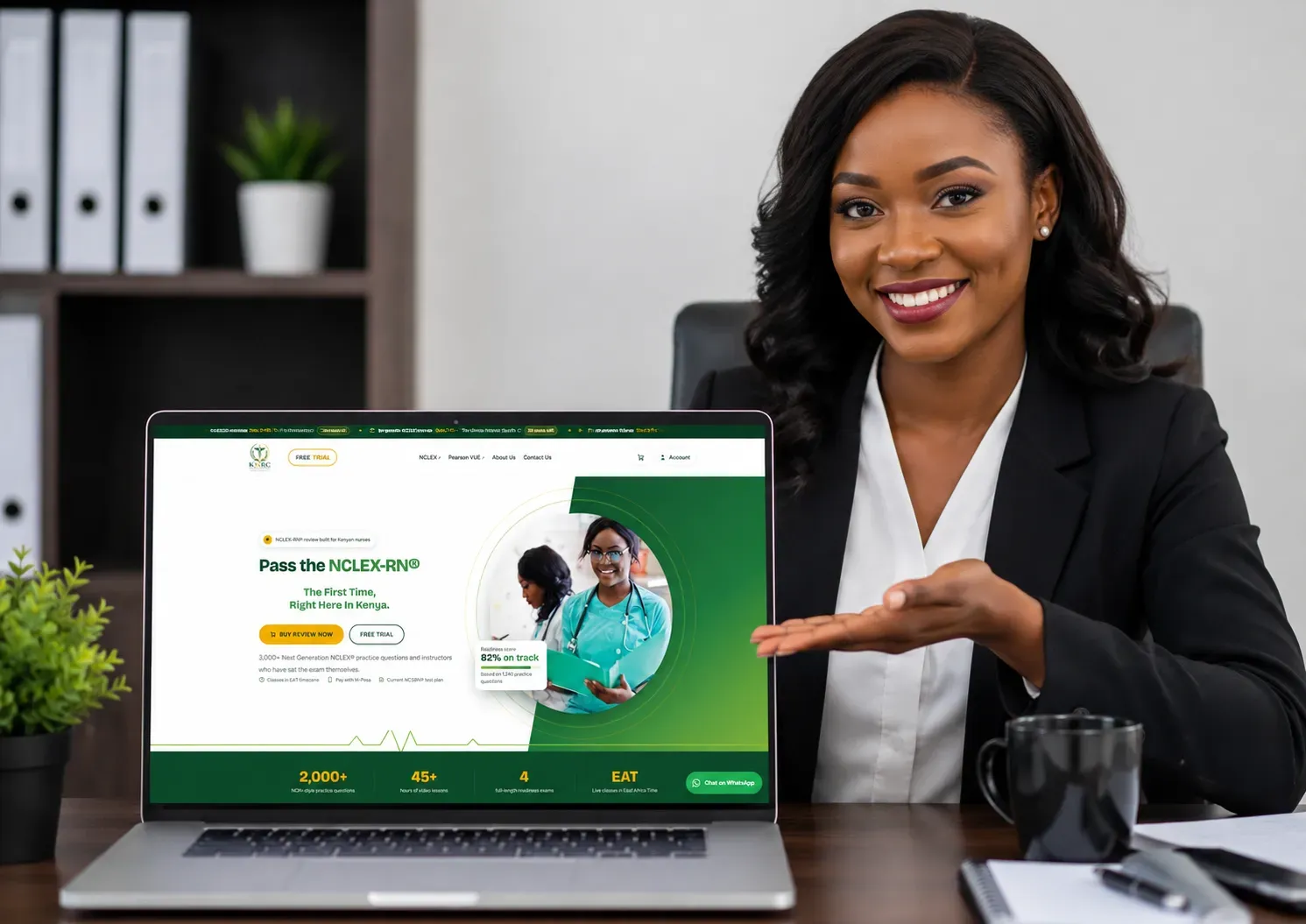
Kenya NCLEX Review Centre sells its Full Question Bank to nursing students in Kenya and abroad. We built the site and added OCK M-Pesa for WooCommerce, so students pay with an STK Push prompt and gain access as soon as the payment is confirmed.
We guide you through each step of getting production access.
Create a developer account and an app on the Daraja portal.
A registered business shortcode that will receive payments.
Consumer key, consumer secret and passkey, stored securely.
A live SSL site so Safaricom can reach your callback URL.
Free tools for your website: Image Compressor, PDF Compressor, Image Upscaler, Background Remover, Invoice Generator, PDF Merger and Splitter. See more on our blog and portfolio.
M-Pesa integration connects your website or app to Safaricom M-Pesa so customers can pay online from their phone. It is usually done through the Safaricom Daraja API, which sends an STK Push prompt to the customer, then notifies your site when the payment succeeds so the order is confirmed automatically. A simpler version shows your Paybill and account number at checkout and you confirm payments manually.
Ready-made M-Pesa integration plugins from Online Creatives Kenya start at KSh 3,500 once-off (M-Pesa Manual) and KSh 12,500 once-off (OCK M-Pesa for WooCommerce). A done-for-you setup is KSh 6,500. Custom builds for non-WordPress websites are quoted after a short call.
Any website with a back end that can receive a Safaricom callback: WooCommerce and WordPress stores, booking and LMS sites, portals, and custom PHP, Laravel or Node.js apps. Static sites need a small back end or a plugin-based platform first.
The fastest route is a payment plugin for your platform. On WordPress and WooCommerce, install OCK M-Pesa for WooCommerce, add your Safaricom Daraja credentials and the customer pays with an STK Push prompt on their phone. For custom sites we integrate the Daraja API directly into PHP, Node.js or Laravel back ends. Online Creatives Kenya handles setup, testing and Safaricom go-live for you.
STK Push sends a payment prompt to the customer's phone through the Daraja API, and the order is confirmed automatically once Safaricom calls back. Manual Paybill shows your Paybill and account number at checkout, and the customer pays from the M-Pesa menu. Manual needs no Daraja approval, so it is quicker to launch, while STK Push gives a smoother checkout and automatic confirmation.
You need Daraja credentials only for STK Push. Create an account on the Safaricom Daraja developer portal, register your Paybill or Till, and request production access. Our M-Pesa Manual plugin works without Daraja, and we can also guide you through Daraja approval if you prefer automatic payments.
Yes. Both of our plugins support an admin-set USD to KSh exchange rate. Customers see the price in dollars, then the amount is converted to KSh for the M-Pesa charge. This suits stores that serve Kenyans abroad as well as local buyers.
Our plugins start at KSh 3,500 once-off for M-Pesa Manual and KSh 12,500 once-off for OCK M-Pesa for WooCommerce (Daraja STK Push). A done-for-you setup and go-live service is KSh 6,500. Custom Daraja integrations for non-WordPress sites are quoted after a short discovery call.
Yes. OCK M-Pesa for WooCommerce supports both the Checkout Block and the classic checkout, and declares compatibility with WooCommerce High-Performance Order Storage. Callback requests from Safaricom are validated so fake payment confirmations are rejected.
A plugin install with manual Paybill can be live the same day. STK Push depends on Safaricom approving your Daraja production credentials, which is outside our control, but we prepare everything in sandbox first so you can go live the day approval lands.
Tell us your platform and whether you need STK Push or manual Paybill for your M-Pesa integration. We will recommend the fastest route and quote clearly in KSh.
We respond within 2 hours on business days.
Tell us about your project and get a tailored proposal, usually within 2 hours.

Nairobi-built digital agency creating fast, high-converting websites, custom software and growth marketing for businesses in Kenya, the USA, Canada, the UK and beyond.
© 2026 Online Creatives Kenya. All rights reserved.
Designed & built with ♥ in Nairobi, Kenya
End this chat session?All messages will be cleared and your session will close.

Online Creatives Kenya
Try asking: