Have you ever taken a beautiful photo, only to realize that the background looks messy, distracting or unprofessional? Perhaps you want to showcase a product in your online shop, create a professional profile picture or design an eye-catching social media poster. Fortunately, an Image Background Remover can solve these problems in just a few clicks.
Previously, removing unwanted backgrounds required advanced photo editing skills or expensive software. However, modern background remover tools make the process faster, easier and more accessible to everyone.
Whether you are a business owner, content creator, student, graphic designer or online seller, you can now remove background from image online without installing complicated software.
Better still, the Free Image Background Remover by Online Creatives Kenya allows you to erase backgrounds directly in your browser, download transparent PNG images and edit multiple photos without creating an account.
In this comprehensive guide, you will discover how an Image Background Remover works, how to delete unwanted backgrounds, how to maintain image quality and how to create professional-looking photos for different purposes.
What Is an Image Background Remover?
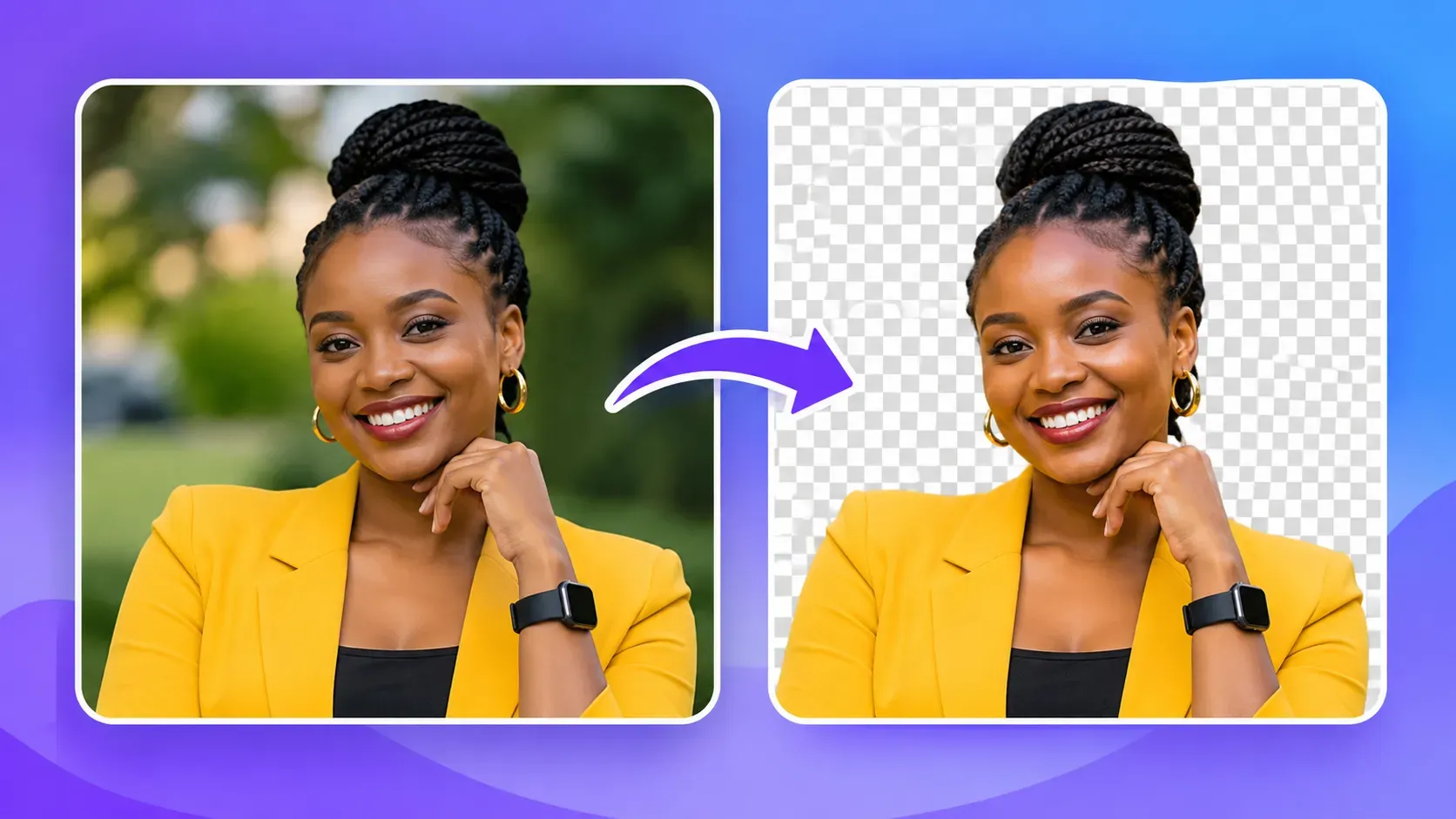
An Image Background Remover is an online tool that identifies the main subject in a photograph and separates it from the surrounding background.

For example, imagine taking a picture of a handbag on a crowded table. Instead of displaying the table, walls and other distracting objects, a background remover can isolate the handbag and create a clean, transparent background.
As a result, you can place the handbag on a white background, add your brand colors or use the image in an advertisement.
Modern background remover for images tools typically use artificial intelligence, image segmentation or color-based processing to distinguish the foreground subject from the background.
Consequently, tasks that once required detailed manual editing can now be completed much more quickly.
A picture background remover is particularly useful for:
- E-commerce product photography.
- Professional portraits and profile pictures.
- Social media graphics and advertisements.
- Website banners and promotional materials.
- Logos and transparent graphics.
- Real estate and vehicle listings.
- Presentations, posters and digital flyers.
Most importantly, you do not need to be a professional graphic designer to get started.
How to Use a Free Image Background Remover Online
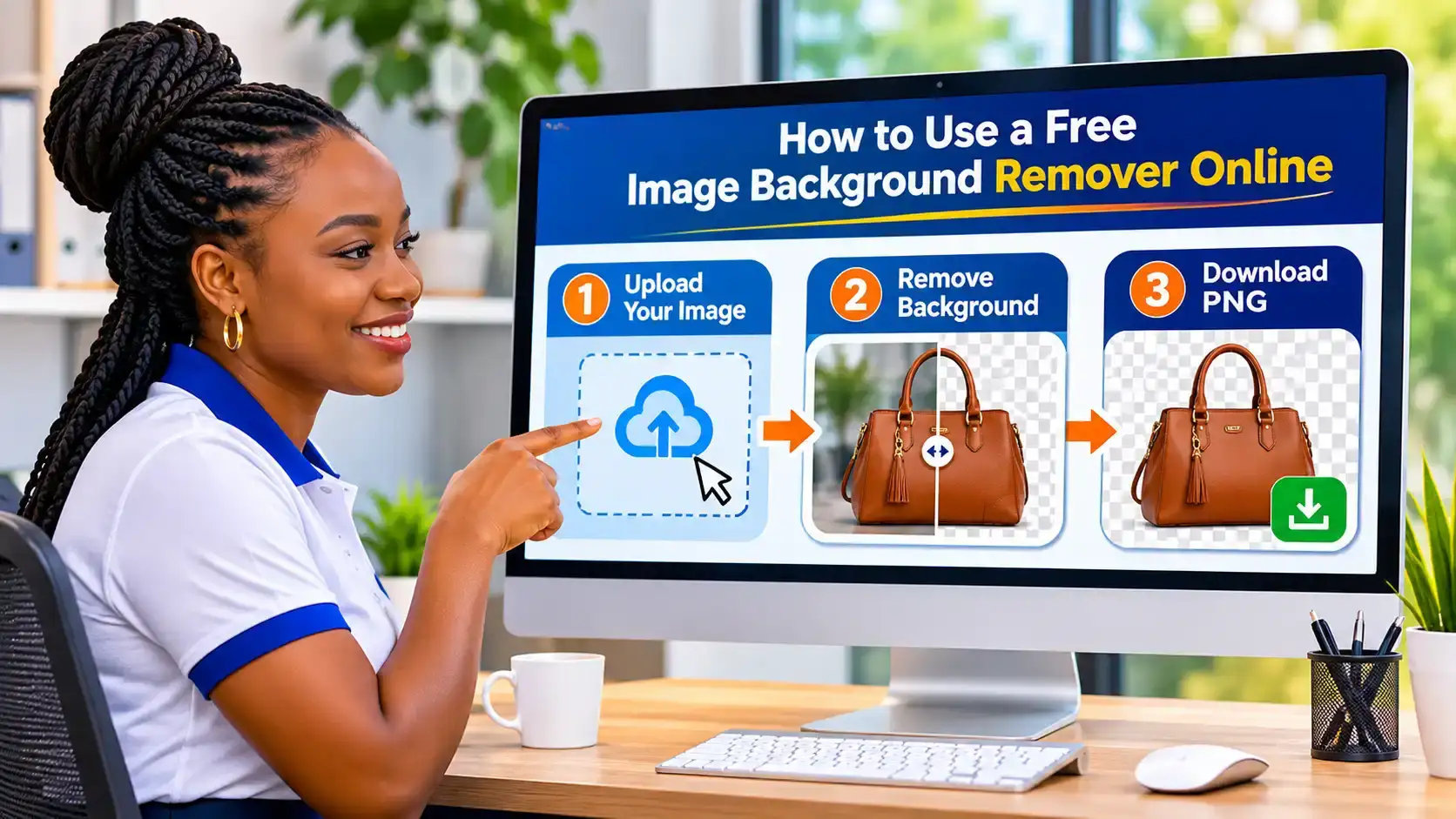
Removing an unwanted background does not have to be complicated. In fact, you can complete the process in three straightforward steps using the free tool from Online Creatives Kenya.
Step 1: Upload Your Image
First, visit the Free Image Background Remover.
Next, select the image you want to edit. You can upload a JPG, PNG or WebP file directly from your computer, smartphone or tablet.
Alternatively, drag and drop your photo into the upload area or paste an image from your clipboard.
The tool supports up to eight images at once, with a maximum file size of 25 MB per image.
Therefore, whether you want to edit one portrait or several product photos, you can work efficiently.
Step 2: Automatically Delete the Background from Your Image
Once your photo is selected, choose the appropriate background removal mode.
The tool provides two main options:
Smart AI Mode: Ideal for people, products, pets and other subjects that require automatic foreground detection.
Solid Color Mode: Suitable for images with plain white or single-color backgrounds.
For example, if you are editing a professional portrait taken outdoors, Smart AI mode can help separate the person from the surroundings.
On the other hand, if your product was photographed against a plain white background, Solid Color mode may provide a quick and clean result.
Additionally, you can compare the original image with the edited version using the before-and-after preview.
If necessary, use the Restore and Erase brushes to correct small imperfections around the subject.
Step 3: Download Your Transparent PNG
Finally, download your edited image as a PNG file.
PNG is particularly useful because it supports transparency. Consequently, you can place your image on different backgrounds without displaying an unwanted white rectangle.
You can also select a background color before downloading.
For instance, you might choose white for an e-commerce product, blue for a corporate profile or a custom brand color for a marketing poster.
The Online Creatives Kenya tool processes images at up to 2560 pixels on the longest side, making it suitable for many websites, social media posts and digital designs.
Ready to try it? Remove Your Image Background for Free.
Why Choose a Free Background Remover?
There are numerous image editing applications available today. Nevertheless, a free background remover offers several practical advantages, particularly when you need quick results.
1. Save Time on Photo Editing
Manually selecting a subject and deleting its background can take considerable time, especially when dealing with hair, clothing or complicated shapes.
However, an automatic background remover simplifies much of this work.
As a result, you can spend less time editing and more time creating content, managing your business or serving customers.
2. Reduce Editing Costs
Professional photo editing software can be expensive, particularly for individuals and small businesses.
Fortunately, you can erase background free using browser-based tools without purchasing a software subscription.
For example, the Online Creatives Kenya background remover offers free use without credits, watermarks or account registration.
This makes it practical for freelancers, students, startups and growing businesses.
3. Create Professional-Looking Images
A clean background helps viewers focus on the subject.
For instance, an online store selling shoes can display products against consistent white backgrounds instead of cluttered surroundings.
Similarly, a professional head-shot can appear more polished when placed against a simple background.
Therefore, using a picture background remover can improve the visual consistency of your marketing materials.
4. Edit Images on Different Devices
You do not necessarily need a powerful desktop computer to remove an image background.
Instead, you can use a compatible browser on your smartphone, tablet or laptop.
This flexibility is especially useful when creating content while traveling, working remotely or managing social media from your phone.
5. Keep Your Images Private
Privacy is another important consideration when using online photo editing tools.
Unlike services that require uploading images to remote servers, the Online Creatives Kenya background remover processes photos locally in your browser.
Accordingly, your images remain on your device during processing.
This can be particularly valuable when working with personal portraits, client images or unpublished business materials.
How to Remove Background from Image Online Without Losing Quality
One common concern when using a background delete free tool is whether the edited image will maintain its original quality.
Although automatic removal can produce excellent results, image quality depends on several factors.
Start With a Clear, High-Resolution Photo
First, choose a sharp image with sufficient lighting.
For example, a clear photograph taken in natural light will generally produce better results than a dark, blurry picture.
Ideally, start with an original image that is at least 1000 pixels wide when possible.
However, remember that a background remover cannot automatically recover every detail missing from a low-resolution photograph.
Choose a Contrasting Background
Next, ensure that the subject is visually distinct from its surroundings.
For instance, a person wearing dark clothing against a light wall is usually easier to isolate than someone wearing similar colors to the background.
Likewise, transparent glass, fine hair and animal fur can require additional adjustments.
Refine the Image Edges
After removing the background, inspect the edges carefully.
Pay particular attention to hair, shoulders, fingers, clothing and small product details.
If part of the subject disappears, use the Restore brush. Conversely, if unwanted background remains, use the Erase brush.
Furthermore, edge sharpness and shrink adjustments can help refine the final cut-out.
Download in the Right Format
For transparent backgrounds, PNG is usually the appropriate choice.
Unlike JPEG, PNG supports transparent pixels. Therefore, it allows your image to blend naturally into websites, presentations and promotional graphics.
If your goal is to remove background HD quality, start with a high-resolution source and inspect the output at its actual size.
For smaller images that need enlarging, you can also try the Free AI Image Upscaler to increase their dimensions before final publication.
However, up-scaling cannot guarantee the recovery of every missing detail.
Best Uses of an Image Background Remover for Businesses and Creators
An Image Background Remover is more than a simple photo editing tool. In fact, it can support several important business and creative activities.
E-commerce Product Photography
If you operate an online shop, clear product images are essential.
For example, a business selling clothes, electronics, cosmetics or household items can use a background remover to create consistent product photographs.
Instead of hiring a photographer for every simple background adjustment, you can prepare many product images yourself.
Additionally, clean product photographs can make an online catalog easier to browse.
Businesses using WooCommerce, Shopify or other e-commerce platforms can benefit from maintaining consistent product imagery.
For businesses planning a complete online store, explore E-commerce Website Development in Kenya to learn more about building a professional shopping experience.
Professional Profile Pictures
Your profile photograph often creates a first impression.
Whether you are updating LinkedIn, preparing a CV or creating an employee profile, a distracting background can reduce the professional appearance of your image.
Fortunately, a free background remover can isolate your portrait.
Afterwards, you can change picture background colors to match your personal brand or company identity.
For example, a simple white, grey or corporate blue background can give your profile a more consistent appearance.
Social Media Marketing
Social media content often requires visually appealing graphics.
For instance, a restaurant might want to showcase a signature meal against a branded background. Similarly, a travel agency may want to feature a safari vehicle in a promotional poster.
A photo background editor makes these tasks easier by allowing designers to isolate subjects before arranging them into new compositions.
Consequently, businesses can create more consistent Facebook posts, Instagram advertisements, digital flyers and promotional banners.
Real Estate and Car Listings
Clear photographs can also improve the presentation of property and vehicle listings.
For example, car dealerships may use a background remover to isolate vehicles from distracting surroundings.
Similarly, property marketers can prepare selected graphics for brochures, presentations and advertising materials.
However, it is important to avoid edits that misrepresent a product, vehicle or property.
Logos, Signatures and Graphics
Have you ever received a logo with an unwanted white background?
A background remover can help turn certain logos and graphics into transparent PNG files.
This is especially useful when placing a logo on a dark website header, promotional flyer or presentation.
For logos with a plain background, Solid Color mode may produce a cleaner result.
Nevertheless, an original transparent or vector logo remains preferable when available.
Image Background Remover vs Adobe Express Background Remover
When searching for a background remover, you may encounter several popular tools, including the Adobe Express background remover.
Both Adobe Express and Online Creatives Kenya can help remove unwanted photo backgrounds. However, they serve somewhat different workflows.
| Feature | Online Creatives Kenya | Adobe Express |
|---|---|---|
| Primary purpose | Quick background removal | Background removal and wider design editing |
| Automatic removal | Yes | Yes |
| Transparent PNG | Yes | Yes |
| Account for basic tool | Not required | Depends on workflow |
| Manual edge correction | Restore and Erase brushes | Editing options within Adobe Express |
| Local browser processing | Yes | Uses Adobe’s online editing service |
| Wider design templates | Not the tool’s main purpose | Available |
For users who simply want to delete background from image files quickly, Online Creatives Kenya offers a focused solution.
Conversely, Adobe Express may be more suitable when you also need templates and additional design features.
You can learn more through the official Adobe Express background removal guide.
Ultimately, the best choice depends on your editing requirements.
How to Change Picture Background After Removing It
Removing an unwanted background is only the beginning.
Once you have isolated the main subject, you can create different visual styles for your photo.
Use a Transparent Background
A transparent background is ideal for logos, product cut-outs, website graphics and promotional designs.
For example, a transparent product image can be placed over different website colors without displaying a rectangular background.
Add a White Background
White backgrounds are commonly used for e-commerce product photography because they provide a clean, consistent appearance.
Therefore, if you sell products online, a white background can help maintain a uniform catalog.
Apply Your Brand Colors
Businesses can also change picture background colors to match their branding.
For instance, a company using blue and orange brand colors may place a product cut-out against either color.
This approach can make social media posts, promotional materials and website graphics more visually consistent.
Create a New Promotional Design
After removing the original background, you can combine the subject with other graphics using a suitable design application.
For example, a restaurant might isolate a meal photograph and position it over a promotional background with pricing and contact details.
Similarly, a real estate company could use a transparent agent portrait within a property advertisement.
As a result, one original photograph can support several different marketing designs.
Background Remover for Images: Common Mistakes to Avoid
Although modern tools simplify photo editing, several mistakes can reduce the quality of the final result.
Using Blurry Images
Low-resolution photographs make it difficult to identify clean subject edges.
Therefore, always use the clearest original image available.
Ignoring Fine Details
Hair, fur, fingers and transparent objects often require careful inspection.
Consequently, do not download your edited image without checking these areas.
Choosing the Wrong File Format
If you want transparency, avoid saving the final image as a standard JPEG.
Instead, use PNG or another format that supports transparency.
Over-editing the Subject
Excessive edge adjustments can remove important parts of a photograph.
For this reason, make small changes and compare the edited image with the original.
Uploading Over-sized Images to Websites
Even after successfully removing a background, a large PNG file can increase page loading time.
Therefore, optimize your finished image before uploading it to your website.
You can use the Free Image Compressor to reduce image file sizes while maintaining suitable visual quality.
How Image Background Removal and Image Compression Work Together
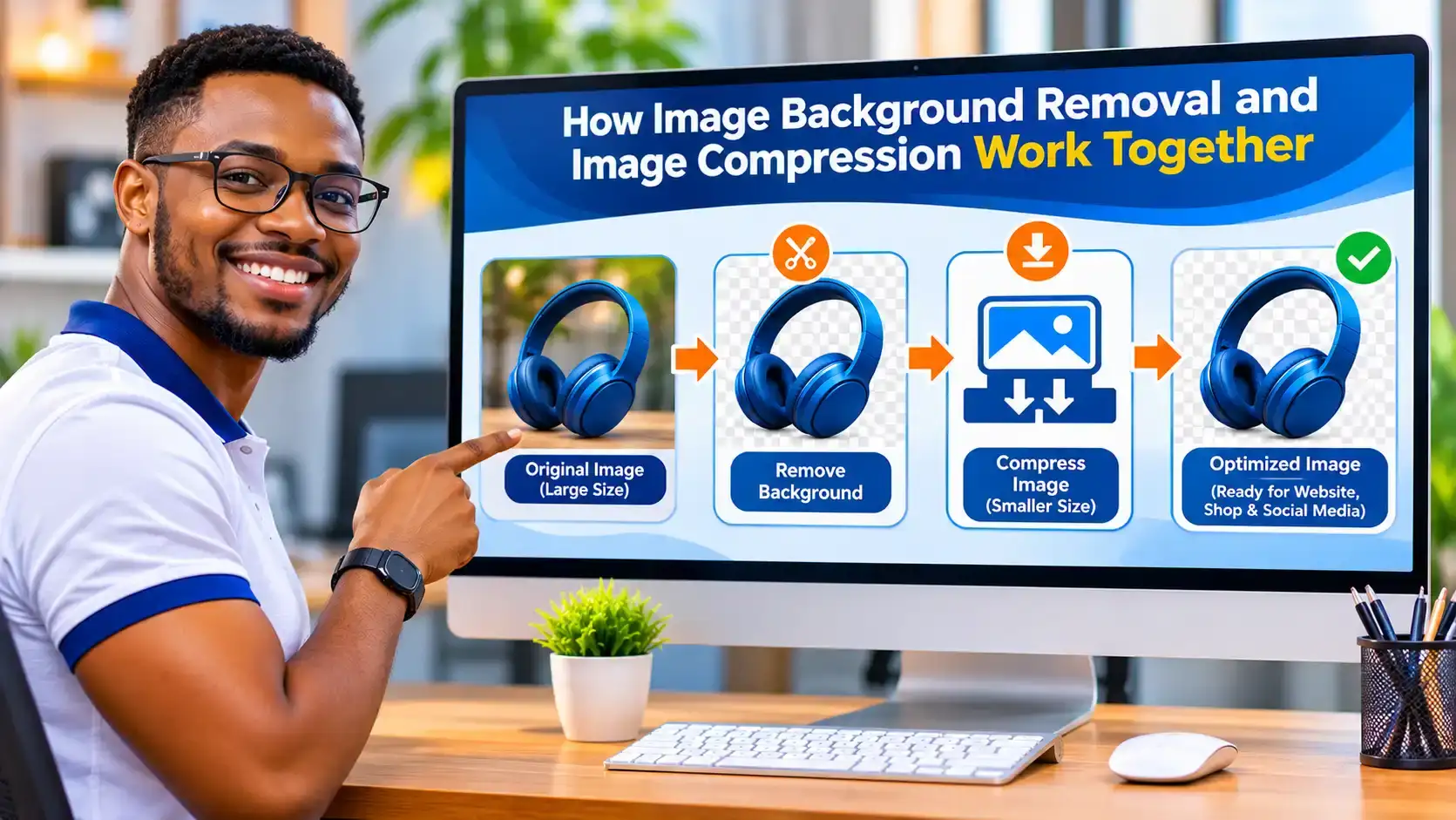
Background removal and image compression perform different tasks. However, they work particularly well together.
An Image Background Remover isolates the subject from its original surroundings.
An image compressor, meanwhile, reduces file size to make the image easier to store, share or publish.
For example, imagine preparing 30 product photographs for a WooCommerce website.
First, remove distracting backgrounds from the images.
Next, download the edited photographs.
Then, compress the images before uploading them to your website.
Finally, add descriptive filenames and alternative text.
This workflow can improve visual consistency while helping reduce unnecessary page weight.
According to Google’s web.dev image optimization guidance, appropriate image formats, dimensions and compression are important considerations for website performance.
Furthermore, you can use the Online Creatives Kenya Image Compressor to prepare photographs and graphics for web publication.
If you also publish brochures, reports or catalogs, the Free PDF Compressor can help prepare smaller PDF files for sharing.
Is a Free Background Remover Better Than an Erase Background App?
Many smartphone users search for an erase background app because they want to edit pictures directly from their mobile devices.
However, installing an application is not always necessary. A browser-based free background remover can offer several conveniences. For example, you may avoid installing additional software, creating another account or using extra phone storage.
Additionally, browser-based tools can be accessible from different devices.
Nevertheless, dedicated mobile applications may offer additional editing features, offline functionality or specialized creative tools. Therefore, choose an application when you need its particular features. Otherwise, a free browser-based background remover may be sufficient for everyday image editing.
Tips to Create Professional Images With a Background Remover
To get the best possible results, follow these practical recommendations.
Use consistent lighting. Good lighting helps distinguish your subject from the background.
Choose the right background color. Select colors that complement your product, brand or intended design.
Keep the subject clearly visible. Avoid excessive cropping that removes important details.
Review the edges. Inspect fine details before downloading your final image.
Use descriptive filenames. For example, black-leather-handbag-transparent-background.png is more informative than IMG001.png.
Add meaningful image alt text. Describe what the image actually shows rather than repeating keywords unnecessarily.
Optimize image size. Compress your final images before publishing them on your website.
Maintain visual consistency. Use similar backgrounds, dimensions and presentation styles across related product photographs.
By following these practices, you can produce cleaner, more professional-looking images for your website and marketing materials.
Frequently Asked Questions About Image Background Remover
1. What is the best free Image Background Remover?
The best tool depends on your requirements. If you want a free, browser-based solution without an account or watermark, the Online Creatives Kenya Image Background Remover is a practical option.
It supports automatic background removal, transparent PNG downloads and manual edge adjustments.
2. How can I delete background from image files for free?
Visit a free background remover, select your photograph, allow the tool to identify the subject and download the edited image.
For example, Online Creatives Kenya provides a browser-based tool that can remove backgrounds without requiring account registration.
3. Can I remove background from image online without installing software?
Yes. Browser-based background removers allow you to edit images directly from compatible browsers.
Therefore, you can use them on many smartphones, tablets and computers without installing a dedicated application.
4. How do I clear picture background without losing image quality?
Start with a sharp, high-resolution image, use the appropriate removal mode and carefully refine the subject edges.
Additionally, download your final image as a PNG when transparency is required.
5. Is there a background delete free tool without watermarks?
Yes. The Online Creatives Kenya background remover offers free background removal without adding watermarks.
You can also download transparent PNG files without creating an account.
6. Can I remove background HD quality?
Yes, provided the tool supports suitable output dimensions and the original photograph has sufficient detail.
The Online Creatives Kenya tool processes images at up to 2560 pixels on the longest side.
However, very small or blurry source images may not produce sharp results.
7. Can I use a background remover for product photography?
Absolutely. Background removers are useful for preparing e-commerce product images, promotional graphics and online catalogs.
For example, you can isolate shoes, handbags, electronics or cosmetics and place them against consistent backgrounds.
8. Can I change picture background after removing it?
Yes. Once the original background has been removed, you can add a different color or use the transparent cut-out in another design application.
For instance, you can create white product backgrounds or use your company’s brand colors.
9. Is Adobe Express background remover free?
Adobe Express provides background removal features, but access conditions and additional design features may vary.
Check Adobe’s official documentation for its current workflow and requirements.
10. Can I remove several image backgrounds at once?
Yes. The Online Creatives Kenya tool supports selecting up to eight images in one batch.
Furthermore, you can download the processed images together as a ZIP file.
11. Why does my background remover delete part of the subject?
This usually happens when the subject and background have similar colors or when fine details are difficult to distinguish.
For example, hair, glass and shadows can create challenging edges.
Fortunately, tools with Restore and Erase brushes allow you to correct many of these imperfections.
12. What does “back background remove” mean?
People sometimes search for phrases such as “back background remove” when they want to delete the background behind a person, product or object.
An Image Background Remover performs this task by isolating the foreground subject and removing the surrounding background.
Final Thoughts: Remove Image Backgrounds Quickly and Easily
Creating professional-looking photographs no longer requires complicated editing software or advanced design skills.
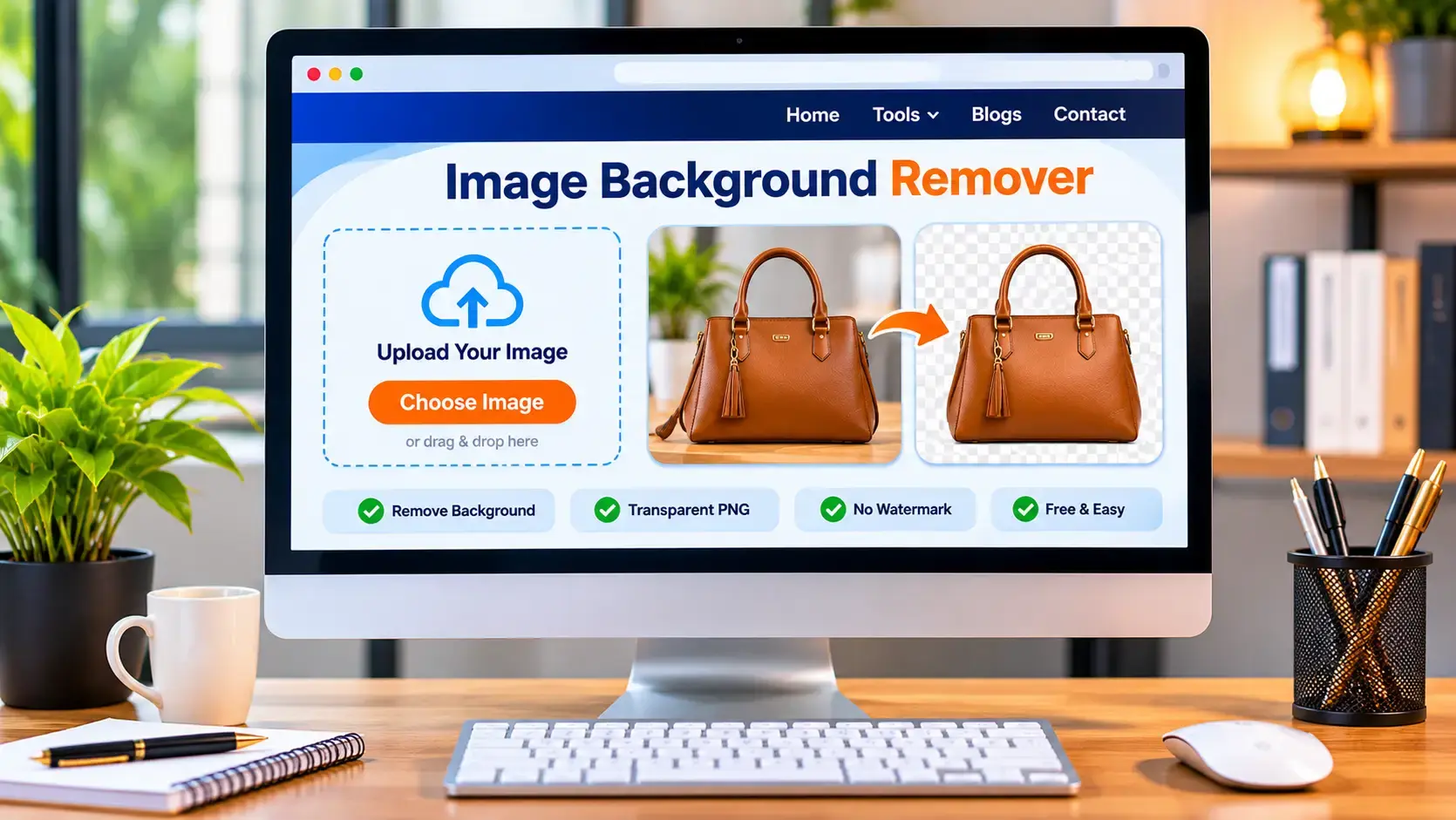
With a reliable Image Background Remover, you can delete unwanted backgrounds, isolate products, prepare professional portraits and create attractive promotional graphics.
Moreover, a free background remover can save time, reduce editing costs and simplify everyday creative work.
Whether you need a picture background remover for an e-commerce store, a photo background editor for social media or a tool to erase background free, choosing the right solution can make your workflow easier.
The Free Image Background Remover from Online Creatives Kenya provides a convenient way to edit photos directly in your browser, refine the results and download transparent PNG images.
Ready to give your photos a cleaner, more professional appearance?
Try Our Free Image Background Remover Today
Remove unwanted backgrounds in seconds, edit your images without watermarks and download clean PNG files without creating an account.
Remove Image Background for Free
Looking for more ways to improve your digital presence? Explore Online Creatives Kenya for website design, custom software development, digital marketing and SEO solutions that help businesses build a stronger online presence.