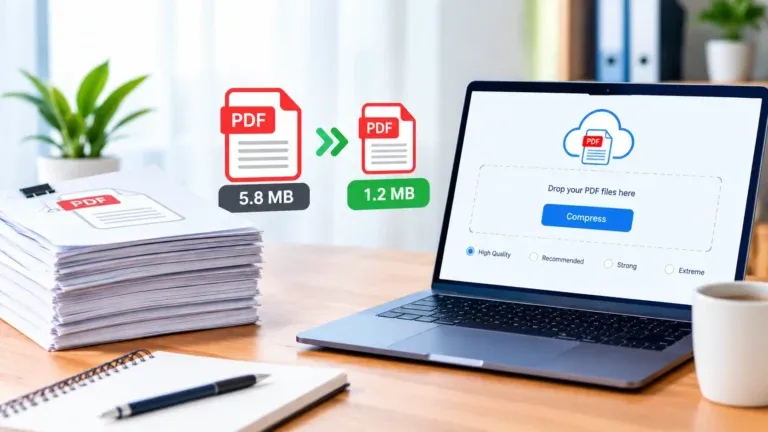
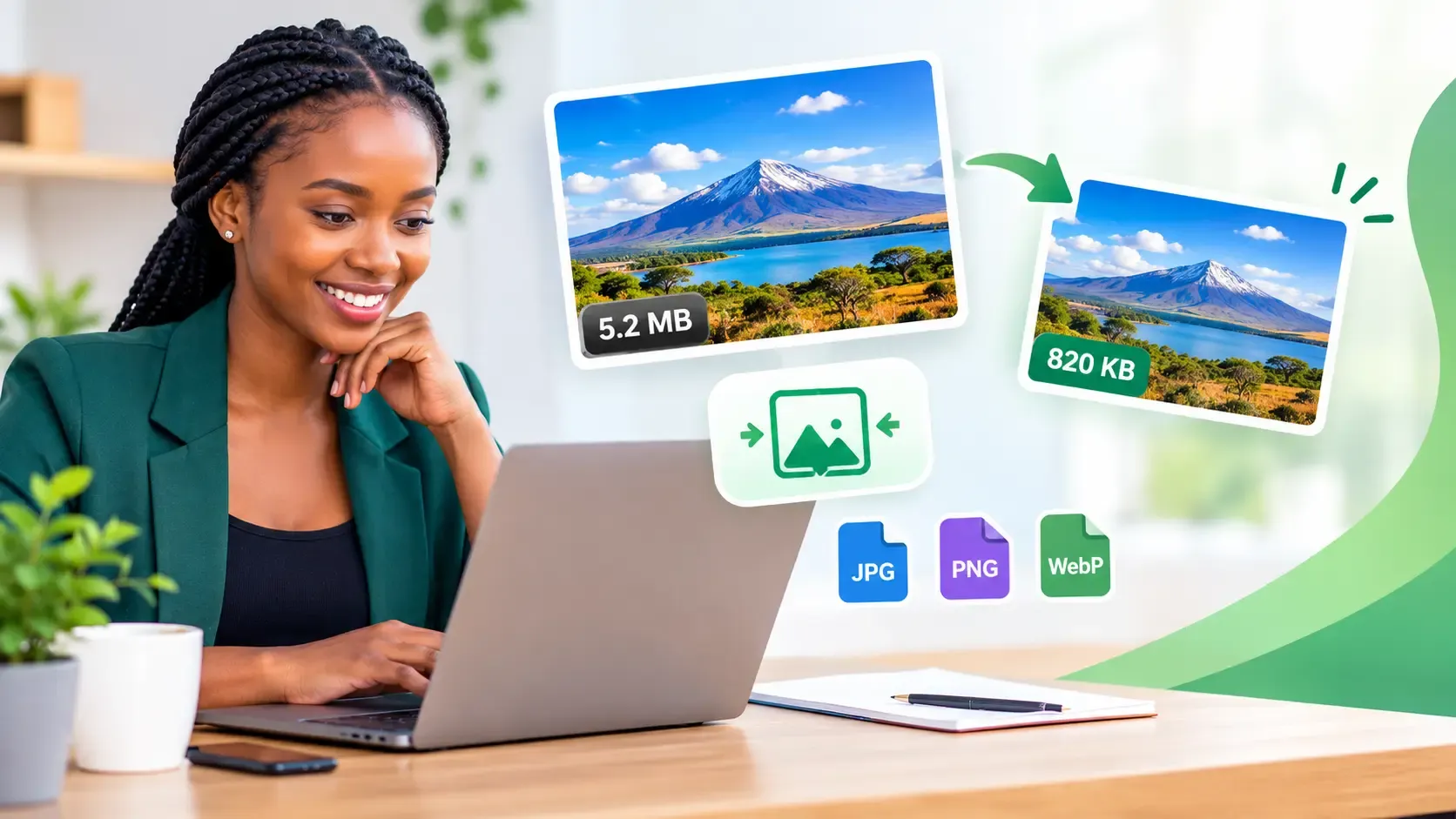
Have you ever tried uploading a photo to a website only to discover that the file is too large? Perhaps your website loads slowly, your email attachment exceeds the size limit, or an online application refuses to accept your photograph. Fortunately, a free Image Compressor can help you reduce image file sizes while maintaining good visual quality.
Whether you are a business owner, student, photographer, content creator, website developer or everyday internet user, image compression can make your work easier. For example, it helps you prepare images for websites, social media, email attachments, online applications and digital documents. Best of all, you do not need expensive software or advanced editing skills to get started.
With the Free Image Compressor from Online Creatives Kenya, you can compress images directly in your browser, adjust quality settings, resize images and target specific file sizes. As a result, you can prepare images for different purposes without going through a complicated editing process.
What Is an Image Compressor and How Does It Work?
An Image Compressor is an online tool or software application that reduces the file size of a digital image. It does this by encoding image data more efficiently, removing some image information where appropriate, or applying other compression techniques.
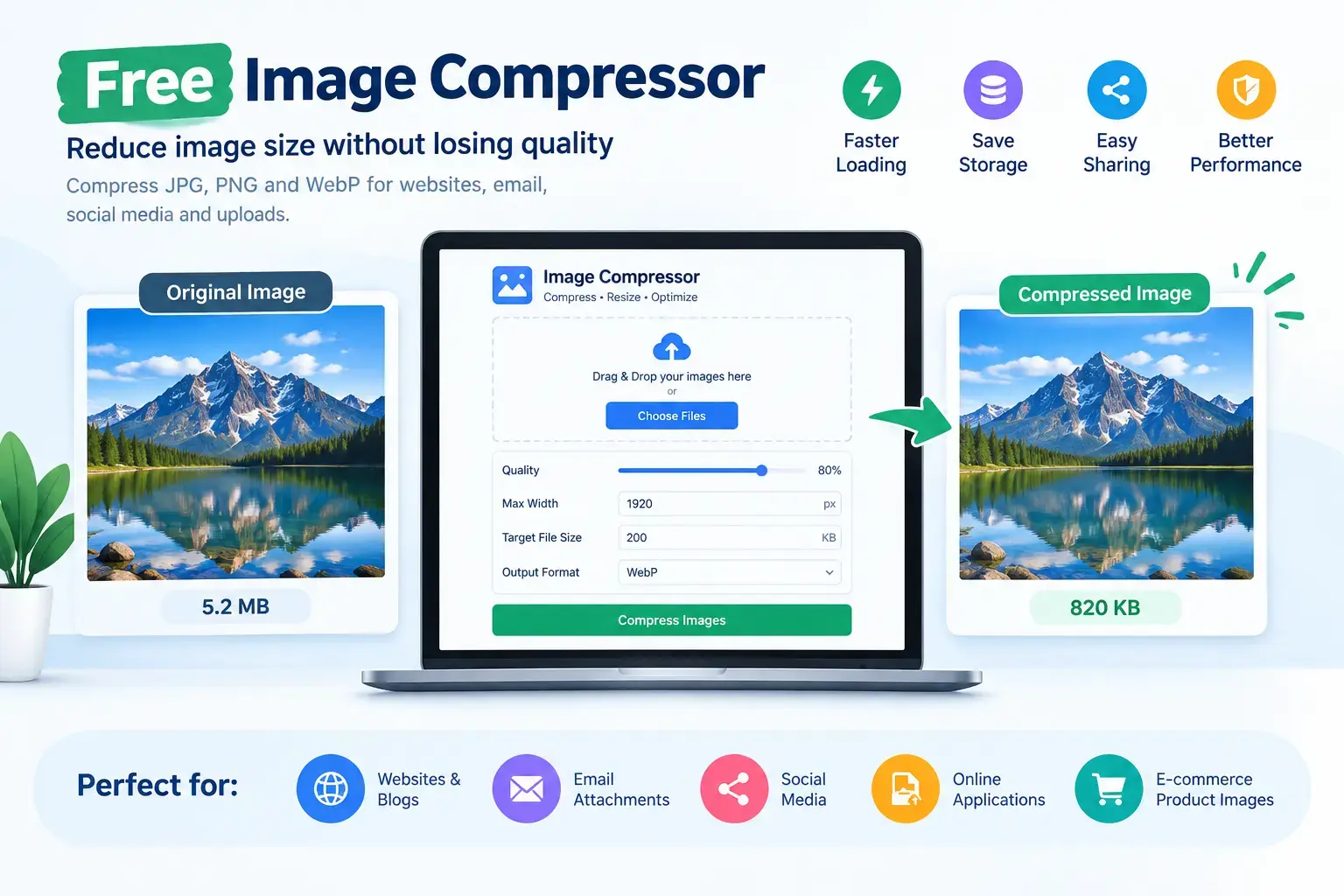
For instance, a photograph that occupies 5 MB may be reduced to 800 KB or less, depending on its dimensions, format and contents. However, the final file size varies from one image to another.
In simple terms, image compression makes files smaller and easier to store, upload, share and display online. Moreover, when you combine compression with suitable image dimensions and formats, you can improve website performance without unnecessarily sacrificing visual quality.
A free online Image Compressor can help you:
- Reduce image file sizes in KB or MB.
- Compress JPG and JPEG photographs.
- Compress PNG images, screenshots and graphics.
- Convert images to WebP for website use.
- Resize oversized photographs.
- Prepare images for online applications and uploads.
- Compress multiple images in one session.
- Reduce the amount of data required to load image-heavy web pages.
If you need to reduce an image’s size right away, try the Online Creatives Kenya Image Compressor.
Why Is an Image Compressor Important?
Large image files can create unnecessary problems, even when the images themselves look excellent. For example, a high-resolution photograph may be suitable for printing but unnecessarily large for a small thumbnail on a website.
Therefore, compressing images before uploading or sharing them can save time, reduce file sizes and improve the experience for users.
1. Use an Image Compressor to Improve Website Speed
Imagine visiting an online shop where every product photograph takes several seconds to load. Even if the products look attractive, visitors may become frustrated and leave before completing a purchase.
Fortunately, image compression can reduce the amount of data a browser needs to download. This is particularly helpful for business websites, blogs, online stores, photography portfolios and travel websites with large image galleries.
In addition, combining compression with responsive images, browser caching and suitable image dimensions can help improve loading performance.
For more guidance, read Google’s image performance guide on web.dev.
2. Reduce Image Sizes for Mobile Users
Many people browse websites using smartphones and mobile data. Consequently, oversized images can increase loading times and consume more data than necessary.
By compressing images before publishing them, website owners can make pages lighter and more convenient to browse. This is especially useful for businesses serving customers in Kenya and other markets where mobile browsing is an important part of the customer experience.
3. Compress Images for Online Applications
Online applications often specify strict image upload requirements. For example, a job portal, university admission form or registration website may require a photograph below 100 KB, 200 KB or 500 KB.
In such situations, an Image Compressor with a target file-size option can help you prepare an image that meets the required limit.
Common uses include:
- Job application photographs.
- School and university admission forms.
- Online examination registration.
- Membership applications.
- Profile pictures.
- Supporting images for digital forms.
- Identification photographs where permitted.
Nevertheless, always check the organisation’s requirements before uploading. In addition to file size, the image may need specific dimensions, a particular format or a certain level of clarity.
4. Make Email Attachments Smaller
Large photographs can make email attachments difficult to send. Furthermore, some email providers and recipients impose limits on the total attachment size.
By compressing images first, you can reduce the size of your email and make sharing more convenient.
For instance, you can use an Image Compressor when sending business proposals, product photographs, event pictures, design previews, reports or personal photos. If you need to send several images, compress them together and check the total attachment size before sending.
5. Save Storage Space on Your Devices
Over time, photographs, screenshots and downloaded graphics can consume a significant amount of storage on your phone or computer.
Image compression can help reduce storage requirements, particularly when you manage large collections of images. As a result, you may find it easier to organise and share your files.
However, keep original copies of important photographs whenever possible. This way, you can return to the full-resolution versions if you need to print, crop or edit them later.
6. Support Your Website’s SEO Performance
Image compression can contribute to a better-performing website by reducing the amount of data browsers need to download. When combined with appropriate dimensions, responsive delivery and efficient caching, it can support faster page loading.
However, compression alone does not guarantee higher Google rankings. Search visibility also depends on content quality, technical SEO, website structure, relevance and many other factors.
For additional guidance, consult Google’s documentation on Core Web Vitals and Google Search.
How to Use the Free Image Compressor from Online Creatives Kenya
You do not need advanced design skills to compress an image. Instead, you can follow a few straightforward steps using the free online Image Compressor.
Step 1: Select Your Images
First, open the tool and add the images you want to compress. Depending on your device and browser, you can select files from your computer or phone, drag and drop them into the tool, or use the available clipboard option.
The tool supports JPG, PNG, WebP, GIF, BMP and AVIF, subject to browser support and the tool’s processing behaviour. It allows up to 30 images per session, with a stated maximum file size of 40 MB per image.
Step 2: Choose Your Compression Settings
Next, select the settings that suit your needs.
Image quality: Adjust the quality setting to balance visual clarity and file size. For many photographs, around 80% can be a useful starting point. However, the best setting depends on the image and how you intend to use it.
Maximum width: If your image is larger than necessary, reduce its width to match the intended display size.
Target file size: If a website requires a specific limit, enter your desired size in KB where the target-size option is available.
Output format: Choose an appropriate format, such as JPEG or WebP, depending on the image and its intended use.
If you are unsure which settings to choose, start with the default options. Then, compare the result with the original before downloading it.
Step 3: Download Your Compressed Images
Finally, download the processed images individually or use the ZIP download option to collect them together.
Before using the files, inspect the results carefully. In particular, check small text, logos, transparent backgrounds, sharp edges and photographs that need to remain clear.
The tool is free to use and does not require an account. According to the tool page, it also processes images locally in your browser rather than uploading them to a server.
How to Compress an Image Without Losing Quality
One of the most common questions about an Image Compressor is whether it can reduce file size without affecting image quality.
The answer depends on the compression method, image format, quality settings and the amount of reduction required. Although some images can become considerably smaller without an obvious visual difference, lossy compression cannot guarantee that every image will retain every original detail.
Understanding Lossy Image Compression
Lossy compression reduces file size by discarding some image information. As a result, it can achieve substantial reductions while keeping photographs visually appealing.
This method is commonly used for photographs, product images and travel pictures. Nevertheless, excessive compression can introduce blur, blockiness, colour changes and other visible artefacts.
Understanding Lossless Image Compression
Lossless compression reduces file size without discarding the image information represented by the compression process.
Consequently, it is useful when preserving exact image data matters. However, the reduction may be more limited than with lossy compression, depending on the original image.
Tips for Maintaining Good Image Quality
To get the best results, follow these practical recommendations:
- Start with moderate compression instead of immediately choosing the smallest possible file size.
- Resize oversized images to match their intended display dimensions.
- Compare the compressed image with the original at normal viewing size.
- Check logos, small text, fine details and transparent areas.
- Avoid repeatedly compressing an already compressed JPEG.
- Keep original copies of important photographs and design files.
- Choose the right output format for your particular needs.
By following these steps, you can often achieve a useful balance between smaller files and good visual quality.
How to Reduce Image Size to 100 KB, 200 KB or 500 KB
Sometimes, reducing an image is not enough. Instead, you may need to meet a specific file-size requirement.
For example, an application portal may accept photographs only up to 100 KB, while another website may allow 200 KB or 500 KB.
How to Compress an Image to 100 KB
To get started, follow these steps:
- Open the Free Image Compressor.
- Select the photograph you want to reduce.
- Enter 100 KB in the target file-size field.
- Allow the tool to adjust the compression settings.
- Download the resulting image.
- Check the final file size and confirm that the photograph remains clear.
If the original photograph is very large, reducing its dimensions may also help you achieve the target while preserving better visual quality.
How to Compress an Image to 200 KB or 500 KB
Similarly, repeat the process and enter 200 KB or 500 KB, depending on the requirement.
A less restrictive target may allow more image detail to be retained. However, results vary according to the original image, so always check the final output before submitting it.
Remember, the goal is not simply to create the smallest file possible. Instead, choose a file size that satisfies the upload requirement while keeping the image suitable for its intended purpose.
Which Image Format Should You Choose?
Choosing the right image format is another important step in image optimisation. Different formats work better for different types of images.
| Image format | Best uses | Important considerations |
|---|---|---|
| JPG / JPEG | Photographs, travel pictures and product images | Widely supported but does not support transparency. |
| PNG | Logos, screenshots and transparent graphics | Useful for sharp edges and transparency, although files can be relatively large. |
| WebP | Website photographs and many graphics | Supports lossy and lossless compression and can produce smaller files. |
| AVIF | Modern website images | Can provide efficient compression, although compatibility should be considered. |
| GIF | Simple animations and legacy animated graphics | Has a limited colour palette; this tool processes the first frame of GIF files. |
| BMP | Legacy images and certain desktop workflows | Often produces larger files than modern web formats. |
For many website photographs, WebP is worth considering because it can provide good visual quality at a relatively small file size. Meanwhile, PNG remains useful for graphics requiring transparency, while JPEG is a practical choice for photographs where broad compatibility matters.
For further information, visit Google’s WebP documentation.
Practical Uses of an Image Compressor in Everyday Life
An Image Compressor is useful for more than website optimisation. In fact, it can help people across different industries and everyday situations.
1. Website Owners and Bloggers
Website owners can compress featured images, blog illustrations, banners and supporting photographs before publishing them.
For WordPress users, preparing images before uploading them to the Media Library can help reduce unnecessary file sizes. In addition, combining compression with suitable image dimensions can make website content more efficient to deliver.
2. E-Commerce Businesses
Online stores often display many product photographs. Therefore, compressing product images can help reduce the amount of data visitors need to download while browsing product listings and category pages.
This is useful for product photos, catalogue images, promotional banners and thumbnails. However, always ensure that important product details, colours and textures remain clear.
3. Social Media Managers and Content Creators
Social media managers regularly prepare photographs, campaign graphics, promotional images and content previews.
Although compression can make these files easier to store and share, you should still follow each platform’s recommended dimensions and upload requirements. This helps avoid unnecessary resizing or quality loss when the platform processes your image.
4. Photographers and Videographers
Photographers can use image compression when sharing previews, preparing reference images or sending photographs to clients for review.
Nevertheless, full-resolution originals should be retained for professional editing, printing and archiving. This ensures that a smaller sharing copy does not replace the original when the highest possible quality is needed.
5. Students and Job Seekers
Students and job seekers may need to upload profile photographs, supporting images or other visual files to online portals.
In these situations, a free Image Compressor can help prepare images that meet specified file-size requirements. Even so, check the required format and dimensions before submitting the final file.
6. Graphic Designers and Marketing Teams
Designers can compress campaign graphics, web banners, design previews and client presentation images before sharing them.
For images containing logos or text, pay particular attention to sharp edges and readability. If lossy compression makes the text appear blurry, consider a different quality setting or a more suitable output format.
7. Businesses Preparing Reports and Proposals
Large photographs can increase the size of reports, presentations and supporting documents.
Therefore, compressing images before inserting them into a document can make the finished file easier to share. If the PDF itself remains too large, try the Free PDF Compressor.
8. Travellers and Smartphone Users
Smartphones often capture large photographs, particularly at high resolutions. Consequently, selected copies may benefit from compression before being sent through email, messaging services or online forms.
For important memories, however, keep the original photographs safely stored.
9. Website Developers and Digital Agencies
Developers can include image compression in their website launch checklist. This is particularly useful for portfolio websites, online stores, travel websites, landing pages and image-heavy content management systems.
A complete optimisation workflow should include compression, suitable dimensions, modern image formats where appropriate, responsive delivery and performance testing.
How Much Should You Compress Website Images?
There is no single file size that is ideal for every website image. For example, a small thumbnail does not need the same dimensions or file size as a full-width homepage banner.
Similarly, a detailed product photograph may need more data than a simple decorative graphic.
As a starting point, consider these recommendations:
- Small thumbnails: Use modest dimensions and keep file sizes low.
- Blog images: Match the image dimensions to the article layout and compress until the result looks clear.
- Product photographs: Balance sharpness, detail and loading performance.
- Large banners: Use appropriate dimensions and carefully selected compression settings.
- Logos and screenshots: Prioritise clean edges, readable text and suitable transparency.
For many website photographs, approximately 100–200 KB can be a useful initial target. However, this is not a universal requirement. Large hero images or detailed photographs may need more, while small thumbnails may need much less.
Ultimately, the best approach is to avoid delivering an unnecessarily large image when a smaller version would look just as good at its actual display size.
Does an Image Compressor Improve Google Rankings?
Image compression can support a website’s SEO efforts, but it does not guarantee higher rankings.
Smaller image files generally require less data to download. As a result, they can contribute to faster loading when combined with other performance improvements.
To build a stronger SEO foundation, combine image compression with:
- Useful, original and relevant content.
- Descriptive image filenames.
- Meaningful alt text for informative images.
- Appropriate image dimensions and responsive delivery.
- Internal links that help visitors discover related pages.
- A technically sound, mobile-friendly website.
- Regular performance testing.
For example, you can use Google PageSpeed Insights to evaluate website performance and identify potential improvements.
Additionally, Google’s image SEO best practices explain how to help search engines discover and understand images on your website.
Is an Online Image Compressor Safe to Use?
Privacy is important when working with personal photographs, client images or confidential business graphics.
Before using an online image compression tool, check how it processes files and whether the images are uploaded to a remote server.
The Online Creatives Kenya Image Compressor states that image processing takes place locally in your browser and that images are not uploaded to a server.
This approach can be useful when compressing personal or business images. Nevertheless, browser-based processing does not eliminate every privacy risk. For example, browser extensions, malware, a compromised device or other website security issues can still create risks.
Therefore, use trusted websites, keep your browser updated and avoid processing highly sensitive material with tools whose privacy practices you cannot verify.
Frequently Asked Questions About Image Compressors
1. What is the best free Image Compressor?
The best image compressor depends on your needs. Ideally, it should support your preferred formats, offer useful quality controls, produce clear results and make downloading straightforward.
The Online Creatives Kenya Free Image Compressor offers browser-based processing, batch compression, resizing, target file-size controls and multiple output options without requiring an account.
2. Can I compress an image without losing quality?
You can often reduce an image’s file size without creating an obvious visual difference. However, lossy compression discards some image information, so preserving every original detail cannot be guaranteed with every setting.
For the best results, use moderate compression and compare the output with the original.
3. How do I compress a JPG image online?
First, open the online Image Compressor and select your JPG or JPEG file. Next, adjust the quality or target size if necessary. Finally, download the compressed image and check its appearance.
4. Can I compress PNG images?
Yes. PNG images can be compressed, and converting certain PNG files to WebP may reduce their size. However, check transparency, text and image quality after conversion.
5. Can I compress multiple images at once?
Yes. The Online Creatives Kenya tool allows up to 30 images in a session, subject to its stated file limits and your browser’s available resources.
6. Does an Image Compressor reduce image dimensions?
Not necessarily. Compression reduces the amount of data stored in an image, while resizing changes its pixel dimensions. Therefore, combining the two can be useful when preparing oversized images for websites or online applications.
7. Why is my compressed image still large?
Some images contain complex details or are already efficiently compressed. In this case, resizing the image, choosing a different output format or adjusting the quality setting may help.
However, avoid reducing quality excessively just to achieve the smallest possible file.
8. Does image compression help website speed?
Yes, it can. Smaller images generally require less data to download, which can improve loading performance. Nevertheless, the overall result also depends on hosting, caching, website code, image dimensions and network conditions.
9. Do I need to install software?
No. You can use the Online Creatives Kenya Image Compressor through a compatible browser without installing a separate image-editing application or creating an account.
10. Can I compress images on my phone?
Yes. You can access the tool through a compatible mobile browser. However, very large images or batches may take longer to process, depending on your device’s memory and processing power.
Start Using the Free Image Compressor Today
Whether you want to speed up a website, prepare an online application, send photographs by email or optimise product images for an online store, image compression can make your work easier.
Instead of struggling with oversized files, you can use a free online tool to reduce image sizes, resize photographs and prepare files for different purposes.
The Free Image Compressor from Online Creatives Kenya lets you compress JPG, PNG and WebP images, adjust quality settings, target specific file sizes and download the results through your browser.
Try the Free Image Compressor Now
For businesses looking to improve their online presence further, Online Creatives Kenya also offers website design, development and optimisation services.
Explore Our Website Services and take the next step towards a faster, more user-friendly online experience.