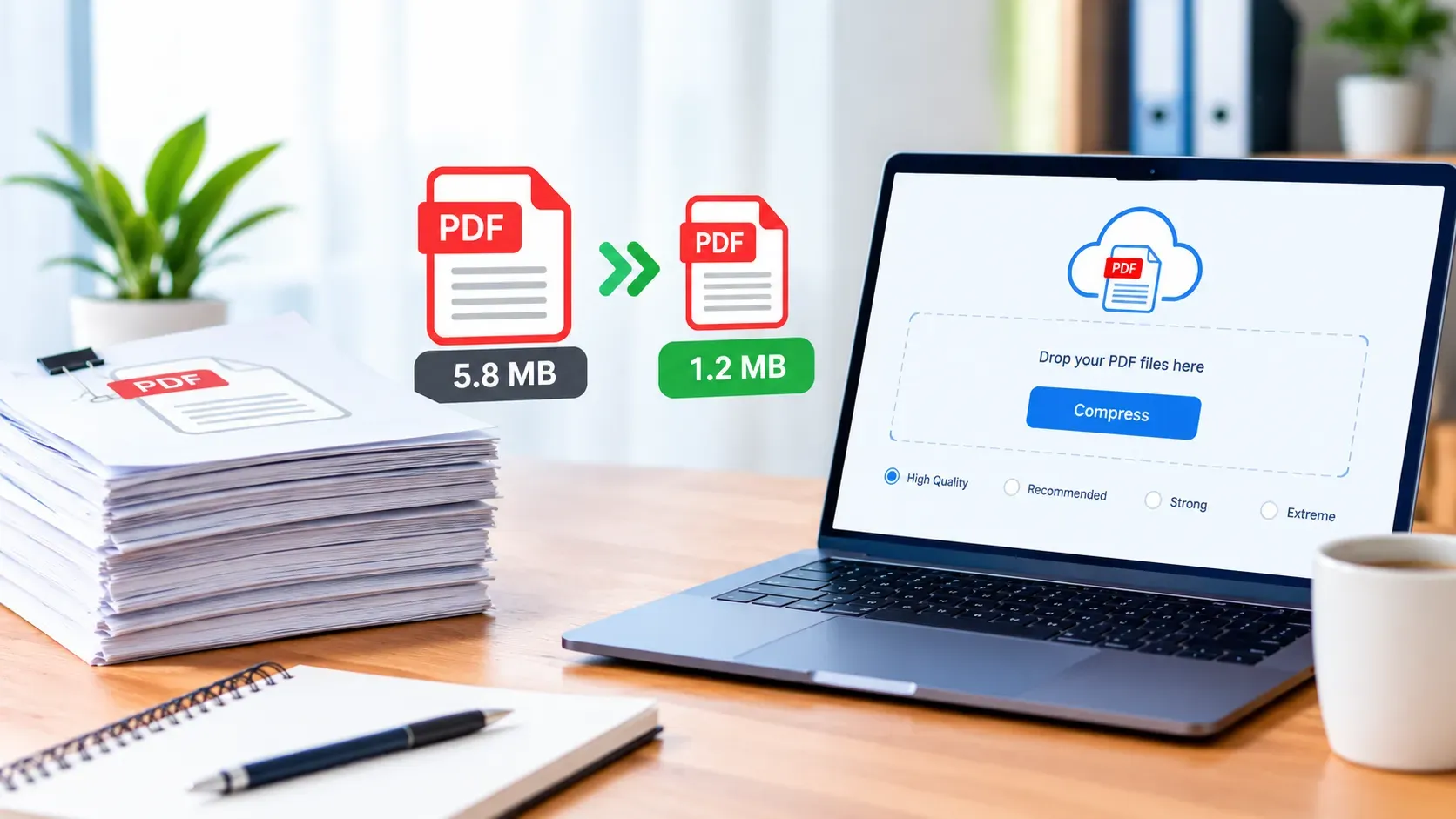
Have you ever tried sending an important document by email, uploading an application form or sharing a business report, only to discover that your PDF file is too large? A PDF Compressor can help you reduce the file size, making your documents easier to upload, share, store and download without unnecessary delays.
Whether you are a student, job seeker, business owner, freelancer, teacher or website administrator, large PDF files can create frustrating problems. For example, an online application may reject your document because it exceeds the upload limit, while a large report may take too long to download on a mobile connection.
Fortunately, you do not need expensive software to solve this problem. The Free PDF Compressor from Online Creatives Kenya allows you to compress PDF files directly in your browser, choose from four compression levels and download your results without creating an account or adding a watermark.
In this guide, you will discover how PDF compression works, how to reduce PDF size for different purposes, which compression settings to choose and how to protect the readability of your documents.
What Is a PDF Compressor?
A PDF Compressor is a tool that reduces the file size of a Portable Document Format (PDF) document. It works by optimizing the information stored in the file, which may include images, scanned pages and other document elements.
For example, a PDF containing high-resolution photographs may occupy 15 MB. After compression, the file could become considerably smaller, depending on its contents and the compression settings used.
However, not every PDF compresses equally well. A document containing scanned pages and photographs may shrink much more than a document consisting mainly of text that is already efficiently stored.
In general, a PDF Compressor helps you:
- Reduce PDF file size in MB or KB.
- Prepare documents for email attachments.
- Meet online application upload limits.
- Make reports and brochures easier to download.
- Reduce storage requirements.
- Compress multiple PDF files in one session.
- Choose between higher quality and stronger compression.
- Prepare PDF documents for websites and online sharing.
If you already have a document that needs to be smaller, try the Free Online PDF Compressor from Online Creatives Kenya.
Why Should You Use a PDF Compressor?
Large PDF files can create problems in everyday work, education and business. Therefore, compressing a document before sharing or uploading it can save time and make the process more convenient.
1. Compress PDF Files for Email Attachments
Email is still an important way to share business documents, invoices, reports, proposals and applications. However, large attachments can exceed the limits imposed by an email provider or the recipient’s organization.
A PDF Compressor helps reduce attachment sizes, making documents easier to send.
For instance, you might need to email a business proposal containing photographs, a report with scanned pages or a portfolio containing several projects. By compressing the PDF first, you can reduce the size of the attachment and make it more manageable.
Nevertheless, always check the recipient’s attachment limit before sending the file.
2. Reduce PDF Size for Online Applications
Many online portals impose maximum file sizes for uploaded documents. This is common when applying for jobs, university admission, professional registration, scholarships and other opportunities.
For example, a portal may accept a PDF only if it is below 1 MB, 2 MB or 5 MB. Consequently, a document that exceeds the limit may be rejected even when its contents are correct.
A PDF Compressor can help you prepare files for these requirements.
Common examples include:
- CVs and résumés.
- Academic certificates and transcripts.
- Scanned application forms.
- Supporting documents for job applications.
- Business registration documents.
- Professional portfolios.
- Reports and other permitted attachments.
However, meeting the file-size limit is only one requirement. You should also ensure that the document remains readable and complies with any instructions about page size, format and document quality.
3. Make Website Downloads Faster
If you publish reports, brochures, catalogues, price lists or downloadable guides on your website, large PDFs can create an inconvenient experience for visitors.
For example, someone browsing your website on a mobile phone may not want to download a 30 MB brochure simply to check your prices.
By compressing PDF files before publishing them, you can reduce download sizes and make documents more accessible to visitors using slower connections.
Furthermore, smaller files can reduce bandwidth consumption when many people download the same document.
For more guidance, see Google’s web performance learning resources.
4. Save Storage Space
PDF documents can occupy significant storage space, especially when they contain scanned pages, illustrations, photographs or detailed graphics.
Over time, a collection of reports, contracts, receipts, invoices and presentations can become difficult to manage.
Compressing suitable copies can help reduce storage requirements and make files easier to share or archive. However, keep original versions of important documents whenever possible, particularly if they must retain their original quality or structure.
5. Share Business Documents More Easily
Businesses regularly exchange proposals, quotations, contracts, invoices, presentations and reports.
Unfortunately, oversized documents can delay communication and make file sharing less convenient. A PDF Compressor provides a practical way to prepare these documents before sending them to customers, suppliers, colleagues or business partners.
For example, a consultant can compress a project proposal before emailing it to a client, while an online retailer can reduce the size of a product catalogue before making it available for download.
As a result, clients can access documents more conveniently without requiring specialised software.
6. Improve the Experience for Mobile Users
Many people access websites and documents through smartphones and tablets. Therefore, large PDF files may take longer to download, particularly on slower connections.
Although compression does not change every aspect of a document’s design, it can reduce the amount of data required to download it.
For businesses serving mobile users, this can make downloadable resources more convenient to access.
How to Use the Free PDF Compressor from Online Creatives Kenya
You do not need advanced technical skills to reduce a PDF’s file size. Instead, follow these simple steps using the Online Creatives Kenya PDF Compressor.
Step 1: Select Your PDF Files
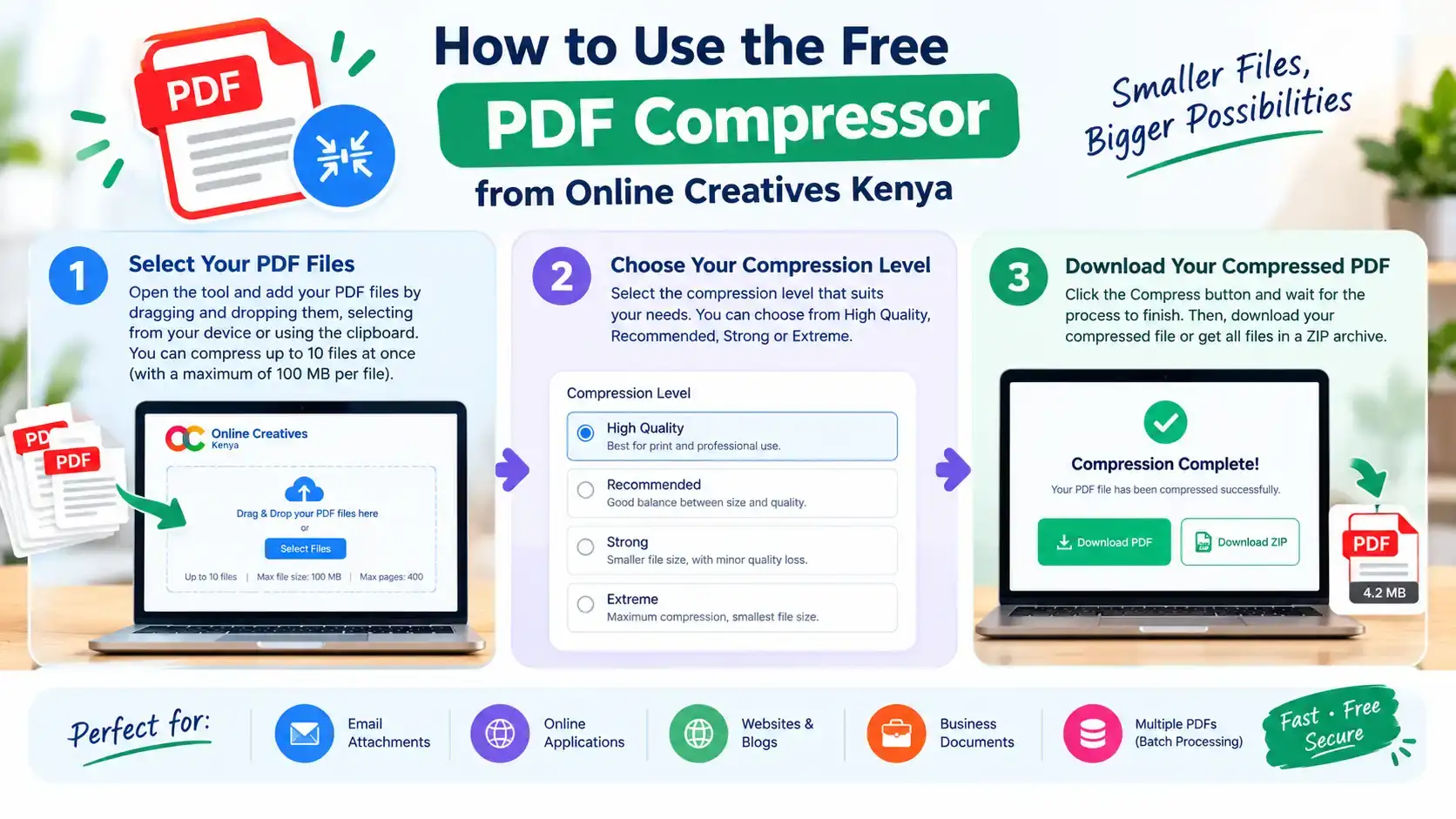
First, open the tool and drag your PDF files into the designated area or select them from your device.
You can process up to 10 PDF files at once, with a stated maximum of 100 MB per file and a limit of 400 pages. This batch-processing feature is particularly useful when you need to prepare several reports, scanned documents or application attachments.
Step 2: Choose the Right Compression Level
Next, select a compression level according to your needs.
The tool provides four options:
High quality: Best when you intend to print the document or need to preserve clearer page details.
Recommended: A balanced option for everyday document sharing and general use.
Strong: Useful when you need a smaller document for email attachments or online forms.
Extreme: Designed for situations where reducing file size is the priority, although fine details may become less clear.
If you are unsure, start with Recommended. Then, inspect the result and use a stronger setting only if the file remains too large.
Step 3: Download Your Compressed PDF
Finally, download the compressed document or collect multiple results in a ZIP file.
Before sharing the document, open it and check several pages. Pay particular attention to small text, signatures, stamps, tables, diagrams and other details that must remain readable.
One important consideration is that this tool optimizes PDF pages as images. Consequently, the output may no longer support selecting, searching or copying the original text in the same way. Keep the original PDF if these features are important to you.
The tool is free to use, does not require an account and does not add a watermark. According to its page, processing happens locally in your browser rather than uploading your documents to a server.
How to Compress a PDF to 1 MB, 2 MB or 5 MB
Sometimes, you do not simply want to reduce a document’s size. Instead, you need to meet a specific file-size requirement.
For instance, an application portal might impose a 1 MB limit, while another service may accept documents up to 2 MB or 5 MB.
How to Compress a PDF to 1 MB
If you need to reduce a PDF to approximately 1 MB, follow these steps:
- Open the Free PDF Compressor.
- Select the PDF you want to reduce.
- Start with the Recommended compression level.
- Download the result and check its file size.
- If the document is still too large, try Strong or Extreme.
- Open the final PDF and confirm that its contents remain readable.
If the document contains many scanned photographs or high-resolution pages, stronger compression may help considerably. However, the result depends on the original file, so reaching exactly 1 MB cannot be guaranteed.
How to Compress a PDF to 2 MB or 5 MB
The process is similar when you need a 2 MB or 5 MB file.
First, use Recommended compression and inspect the result. If it remains above your required limit, try Strong compression and check again.
Because the target is less restrictive than 1 MB, you may be able to preserve more detail while still meeting the requirement.
Important: The tool offers compression levels rather than a guaranteed exact output size. Therefore, always check the final file size before uploading it to an application or attaching it to an email.
How to Compress a PDF Without Losing Quality
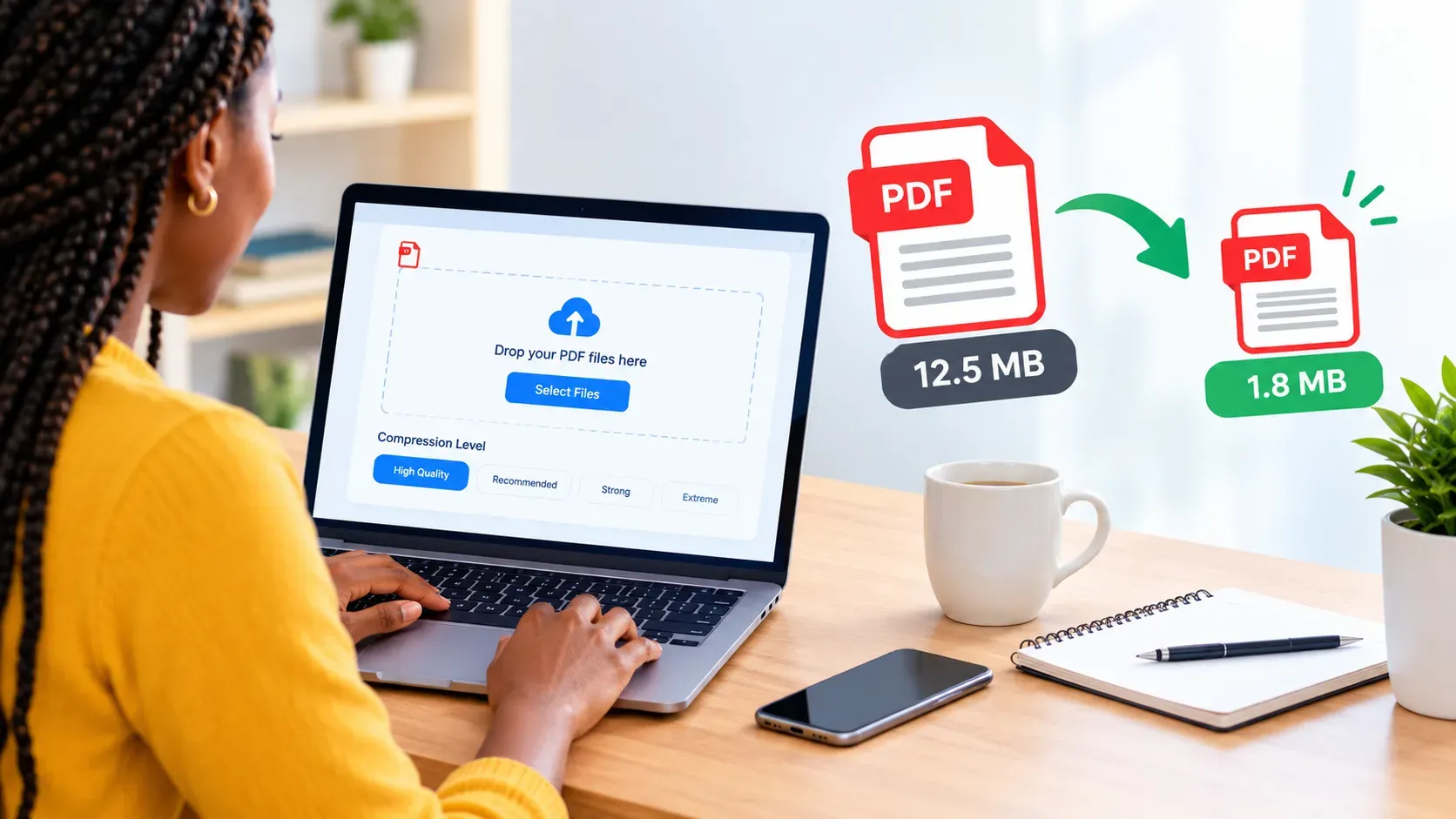
One of the most common concerns about PDF compression is whether the document will remain clear and readable.
The answer depends on the document’s contents and the compression method.
A PDF containing mostly text may respond differently from a scanned document containing photographs on every page. Similarly, a file intended for on-screen reading may tolerate more compression than a document prepared for professional printing.
Choose the Right Compression Level
When quality matters, start with High quality or Recommended. These settings are more suitable when you need to retain clear page details.
On the other hand, Strong and Extreme may be useful when the document must meet a strict upload limit. Nevertheless, stronger compression can make small text and fine details appear softer.
Check Text, Signatures and Tables
After compression, inspect the parts of the document that matter most. For example, check that names, identification numbers, signatures, official stamps, tables and small print remain legible. If the document will be used for an official application, do not submit it until you are satisfied with its readability.
Keep the Original Document
Whenever possible, save an uncompressed copy before using a PDF Compressor.
This is particularly important for contracts, legal documents, financial records, certificates and other documents that may need to be reproduced accurately. Moreover, retaining the original allows you to try another compression setting if the first result is not suitable.
Understand What Happens to Selectable Text
Some PDF compression methods reduce file size by optimizing images while retaining the original text and document structure. Others, including the page-image approach used by the Online Creatives Kenya tool, may convert page content into images.
As a result, the compressed file may lose selectable text, searchable text, accessibility information or interactive elements.
Therefore, if you need to copy text, search within the document, use screen-reader features or preserve interactive forms, verify these requirements before choosing a compression method.
What Types of PDF Files Can You Compress?
A PDF Compressor can be useful for many different document types. However, the results depend on the original file and the quality requirements.
1. Scanned Documents
Scanned PDFs often contain large page images. Consequently, compression can significantly reduce their file sizes.
Examples include scanned application forms, receipts, printed reports and supporting documents.
However, inspect the text after compression, particularly if the scan contains small handwriting or faint characters.
2. Business Reports and Proposals
Business reports may contain charts, photographs, tables and illustrations. Compressing them can make them easier to email or distribute to clients.
Nevertheless, ensure that the figures, labels and other important information remain clear.
3. Brochures and Product Catalogues
Companies often publish brochures, service lists and product catalogues as downloadable PDFs.
Compressing these files can help visitors download them more conveniently. In addition, smaller catalogues may be easier to distribute through email and messaging platforms.
For print-ready catalogues, however, use a compression setting that preserves sufficient detail.
4. Academic Documents
Students and educational institutions may need to share assignments, reports, lecture notes, scanned certificates and research documents.
When a learning platform or application portal imposes a size limit, compression can help prepare the file for submission.
However, always follow your institution’s requirements and retain a readable copy.
5. Invoices and Receipts
Businesses often store and exchange invoices, receipts and supporting financial documents as PDFs.
Compressing these files can make them easier to email and archive. Nevertheless, check that transaction details, totals, dates and reference numbers remain legible.
6. Presentations and Portfolios
PDF presentations and professional portfolios can contain many photographs and graphics.
As a result, they may become large even when the number of pages is relatively small.
A PDF Compressor can help make these documents easier to share with potential clients, employers and business partners.
7. Manuals and Guides
Instruction manuals, training materials and downloadable guides may contain illustrations, diagrams and screenshots.
Compressing them can reduce download sizes. However, technical diagrams and small labels should be checked carefully before publication.
Is It Safe to Use a Free Online PDF Compressor?
Privacy should always be considered when handling personal or business documents.
Some online tools require users to upload files to remote servers for processing. Other tools process documents locally in the browser.
The Online Creatives Kenya PDF Compressor states that your PDFs are processed in your browser and are not uploaded to a server.
This can be beneficial when working with invoices, contracts, application documents and other private files. Nevertheless, browser-based processing does not eliminate every possible security risk. A compromised device, malicious browser extension or other security issue can still expose information.
For sensitive documents, use a trusted device, keep your browser updated and retain the original file. In addition, check whether compression could affect digital signatures, document accessibility or other important features before using the compressed version.
Does PDF Compression Improve Website Performance?
PDF compression can help improve the experience of visitors who download documents from your website.
For example, smaller brochures, reports and catalogues require less data to download. Consequently, visitors may be able to access them more quickly, particularly when using mobile data.
However, PDF compression does not automatically improve your website’s Google rankings or fix slow page loading on its own.
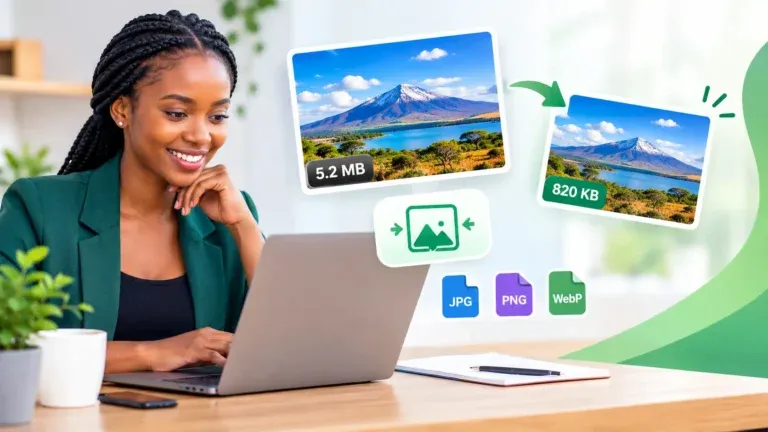
For the best results, combine smaller PDF files with good website hosting, efficient page design, caching and optimised images. If your website contains many large graphics, try the Free Image Compressor as well. Additionally, you can use Google PageSpeed Insights to evaluate website performance and identify potential improvements.
Frequently Asked Questions About PDF Compressors
1. What is the best free PDF Compressor?
The best PDF Compressor depends on your requirements. Look for a tool that offers suitable compression settings, produces readable results and makes downloading straightforward.
The Online Creatives Kenya PDF Compressor provides four compression levels, batch processing for up to 10 files, ZIP downloads and browser-based processing without an account or watermark.
2. How do I compress a PDF file online for free?
Open the Free PDF Compressor, select your document, choose a compression level and download the result. Finally, check the file size and readability before sharing it.
3. Can I compress a PDF without losing quality?
You can often reduce a PDF’s file size while retaining acceptable visual quality. However, the amount of reduction and the effect on readability depend on the original document and the compression method.
For documents containing small text or detailed graphics, start with a higher-quality setting.
4. How do I compress a PDF to under 1 MB?
Start with Recommended compression. If the result remains above 1 MB, try Strong or Extreme and check the final file size.
However, reaching the exact target depends on the original document, so it may not be possible for every PDF.
5. Can I compress multiple PDFs at once?
Yes. The Online Creatives Kenya tool allows you to process up to 10 PDFs in one session, subject to its stated file-size and page limits.
You can download the resulting files individually or collect them in a ZIP archive.
6. Can I compress a scanned PDF?
Yes. Scanned PDFs can often benefit from compression because their pages contain images.
Nevertheless, check the resulting document carefully to ensure that text, signatures, stamps and other details remain readable.
7. Does compressing a PDF affect text selection?
It can. The Online Creatives Kenya compressor optimizes pages as images, so text in the resulting PDF may no longer be selectable or searchable in the original way.
If you need searchable text or accessible document content, retain the original and consider a compression method that preserves the document’s text layer.
8. Can I compress a PDF on my phone?
Yes. You can open the tool in a compatible mobile browser without installing a separate application.
However, large documents may require more memory and processing power, so the speed depends on your device and browser.
9. Is there a file-size limit?
The tool states a maximum of 100 MB and 400 pages per PDF, with up to 10 PDFs processed in one session.
Very large documents may take longer to process depending on your device’s available memory.
10. Can I compress a password-protected PDF?
The tool does not directly support password-protected PDFs. You may need to remove the password using an authorised PDF application before compression, provided you have permission to do so.
Always follow the document owner’s instructions and any applicable security requirements.
11. Will compressing a PDF remove its digital signature?
Compression can invalidate digital signatures or alter document features, depending on how the file is processed.
Therefore, retain the original signed document and verify the validity of any signature if the compressed file will be used for official or legal purposes.
12. Is the Online Creatives Kenya PDF Compressor completely free?
The tool page states that it is free, requires no account, adds no watermark and has no daily usage limit.
You can use it to compress suitable PDF documents directly in your browser.
Make Your PDF Files Smaller Today
Large PDF files should not prevent you from submitting an application, sharing a business proposal, sending an email attachment or publishing useful resources on your website.
With the right PDF Compressor, you can reduce file sizes, make downloads more convenient and prepare documents for different sharing requirements.
The Free PDF Compressor from Online Creatives Kenya offers four compression levels, batch processing and browser-based document handling, all without requiring an account or adding a watermark.
Compress Your PDF Files for Free
If you also need to combine or separate PDF documents, try the Free PDF Merger and Splitter. For website graphics and photographs, use the Free Image Compressor.
For businesses that want to improve their online presence further, Online Creatives Kenya also provides website design, development and optimisation services.
Explore Online Creatives Kenya and discover practical digital solutions for your business.